

Want to stay updated?
Sign up for our newsletter
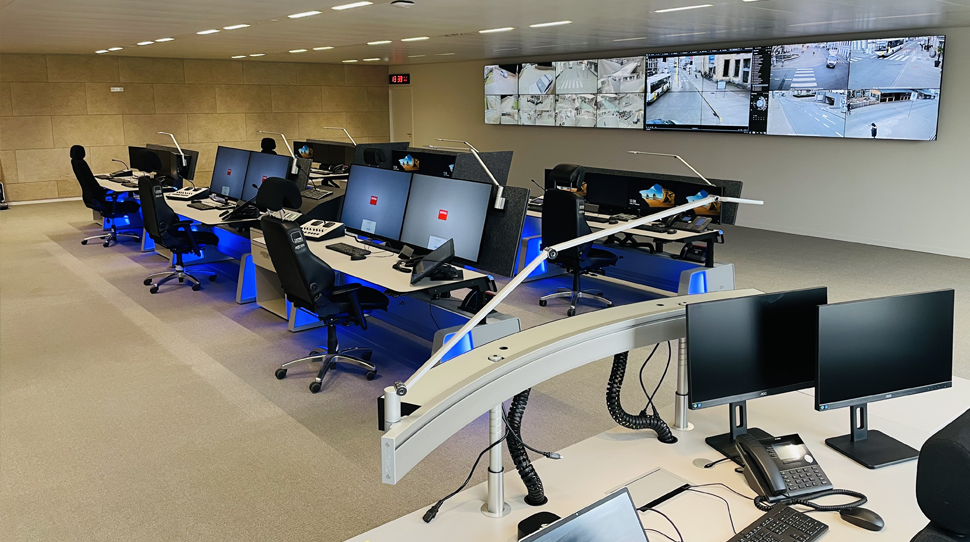
Operators in a high-stakes environment must be able to interpret complex data, scan camera feeds, and communicate with their team at a single glance. Yet, one of the most critical ergonomic factors is often overlooked: the sightline.
Optimal sightlines are essential to minimize physical strain, creating the calm necessary for maximum focus. While ergonomic sightlines alleviate physical stress for the operator, cognitive tools support response times and decision-making. What should you consider when designing the ideal workstation?
The human anatomy is not built to stare upward or too far left or right for hours on end. For proactive work (at the local workstation), the neutral gaze line sits just below the horizontal line (15°). For reactive work (viewing a video wall, for example), it aligns with the horizontal line. A natural resting position for the eyes is just below horizontal eye level.
No two screen configurations are identical, which is why customization is our standard. Based on DINED standards, we configure every workstation so that monitors—regardless of size or quantity—are positioned within optimal viewing angles, minimizing operator strain.
When screens are placed too high (often a risk with large video walls), it forces the operator into a backward-tilted neck position. This not only leads to physical complaints but also accelerates mental fatigue. The right chair can offer support here; specialized 24/7 chairs can recline further back, meaning the chair itself tilts backward instead of the operator having to bend their neck.
At CREON, we encourage dynamic working, but transitioning from a sitting to a standing posture alters the entire ergonomic triangle between your eyes, local monitors, and the video wall. When you adjust the height of a workstation, your viewing angle shifts.
Our consoles are designed to ensure sightlines remain optimal in both positions. When standing, your working posture is often more active, making it easier to look over your own monitors toward the rest of the room. A flexible monitor mounting system is crucial here, allowing you to maintain the correct position in any posture and preventing neck strain when you stand up.
Sightlines are also about distance. In a control room, operators frequently work with a combination of local monitors (at the desk) and a central or personal video wall in the background. Constantly refocusing the eyes between “near” and “far” targets is a heavy workout for the eye muscles, which is something you want to minimize. Through smart signaling, operators should only be prompted to look at the video wall when absolutely necessary.
A well-thought-out design takes the ratio between different screens into account. By positioning the monitors at the correct depth based on screen size, and aligning the video wall at the proper height, we minimize the need for constant refocusing. This significantly reduces the likelihood of headaches and loss of concentration.
In addition to the vertical angle, the horizontal field of view is critical. In an ideal setup, an operator does not need to twist their torso to view essential information. A high-quality chair can support this movement as well. Furthermore, it is best practice to work with three distinct zones:
A sightline isn’t defined solely by screens. In a modern control room, teamwork is essential. This means line-of-sight paths between colleagues must be carefully coordinated. In some scenarios, you want zero distractions; in others, frequent collaboration is vital.
Depending on the situation, an excessively high monitor arrangement can create a physical barrier to non-verbal communication. However, in certain cases, this is less of a factor. At CREON, we design our solutions entirely around the client’s unique needs and situation. We always take line-of-sight analysis into account to verify that every operator retains a clear overview of the entire environment.
Sightlines are the invisible threads that hold a control room together. By considering the natural, optimal posture of the human body alongside the spatial dynamics of the room, you create a workstation that supports the operator instead of hindering them.
We know that technical furniture is only a true solution if it aligns ergonomically with the critical tasks of the user.
"*" indicates required fields